Products
Case studies
Industries
Resources
I’m an Influencer
4 min read


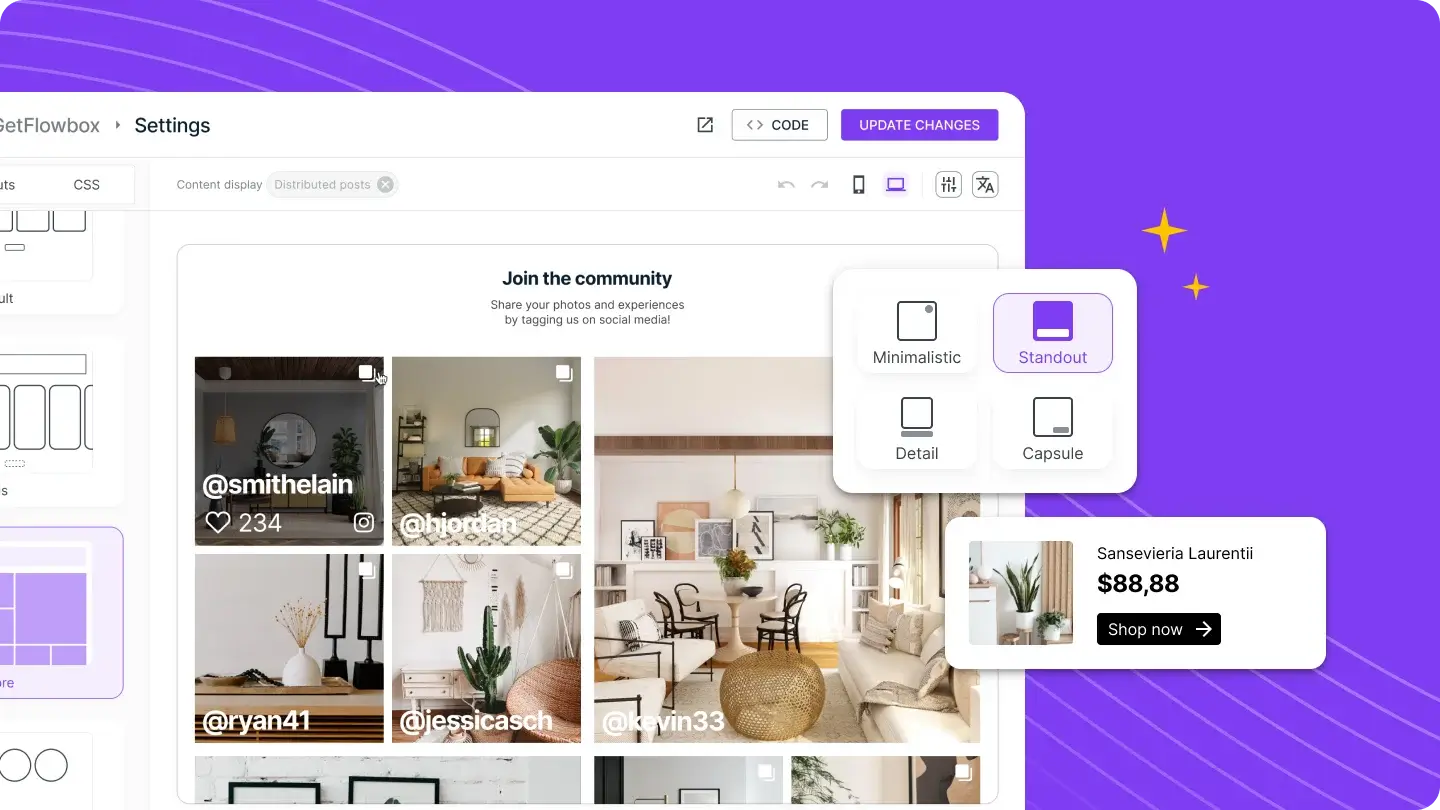
Table of Contents
The Flowbox Widget gives eCommerce teams the freedom to create UGC galleries that truly reflect their brand, without slowing down their workflow or relying on developers. Every customisation option, from styling and layout to localisation and behaviour, is designed to make it easier for teams to repurpose content quickly, stay visually consistent, and offer shoppers a seamless, on-brand experience.
With flexible layouts, dynamic media options, and intuitive post interactions, brands can turn everyday social content into meaningful touchpoints along the customer journey. These tools help shoppers stay engaged, discover products more naturally, and feel more confident about their purchase decisions.
You can see this in action with Intertoys, who uses Flowbox to bring playful, shoppable UGC directly into their homepage and store search page. By adding a simple “View product” button to posts featuring items from their catalogue, they connect inspiration to product information in a single click. It’s a small detail, but it creates a smoother path for shoppers and makes social content work even harder for the brand.
Let’s explore how the brand created these engaging and high-converting galleries of shoppable user-generated content.
Flowbox’s Flow Settings Page puts speed, flexibility, and precision in the hands of eCommerce teams, whether they want a plug-and-play widget or a fully bespoke design.
For brands that want some established design right away, we offer ready-to-use Templates. You can choose between Reels, Explore, Stories, or Showcase Gallery to add instant flows to your website.
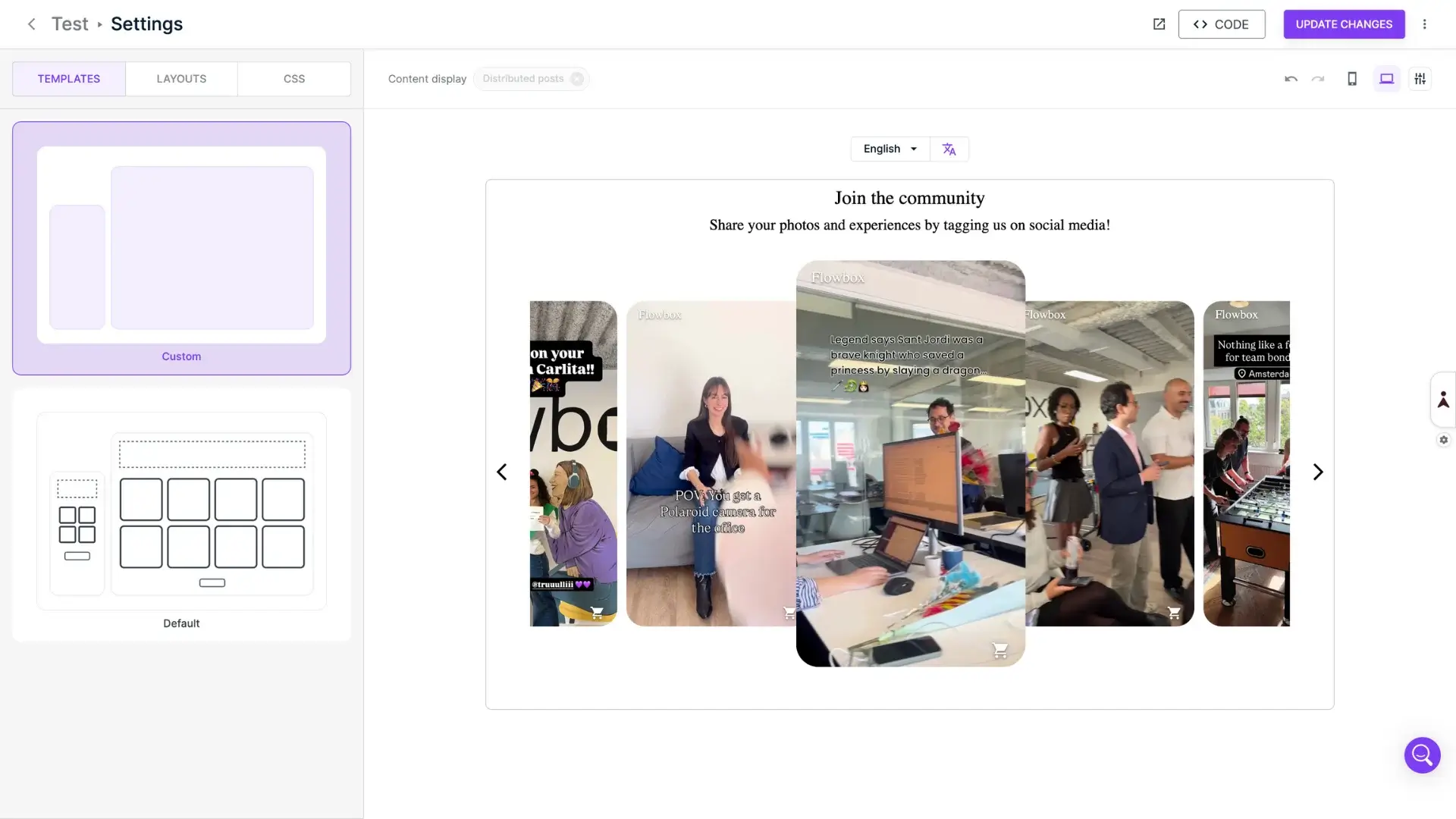
Launch a visually compelling UGC flow with a single click, ideal for small teams that don’t require more customisation but want an engaging gallery. Benefits for brands include faster publish times, no design bottlenecks, and consistent styling across sites and markets.
Seamless multilingual workflows: Flowbox makes localisation effortless. A single UGC flow can speak the language of every store, without duplicating work. Switch languages directly from the panel, customise specific fields per language, and see every translation reflected in real time.
A built-in CSS Editor for advanced customisation: For brands with strong visual identity guidelines, the CSS editor opens the door to full creative control. Modify layouts, adjust colors, or refine details, all without touching your live widget.
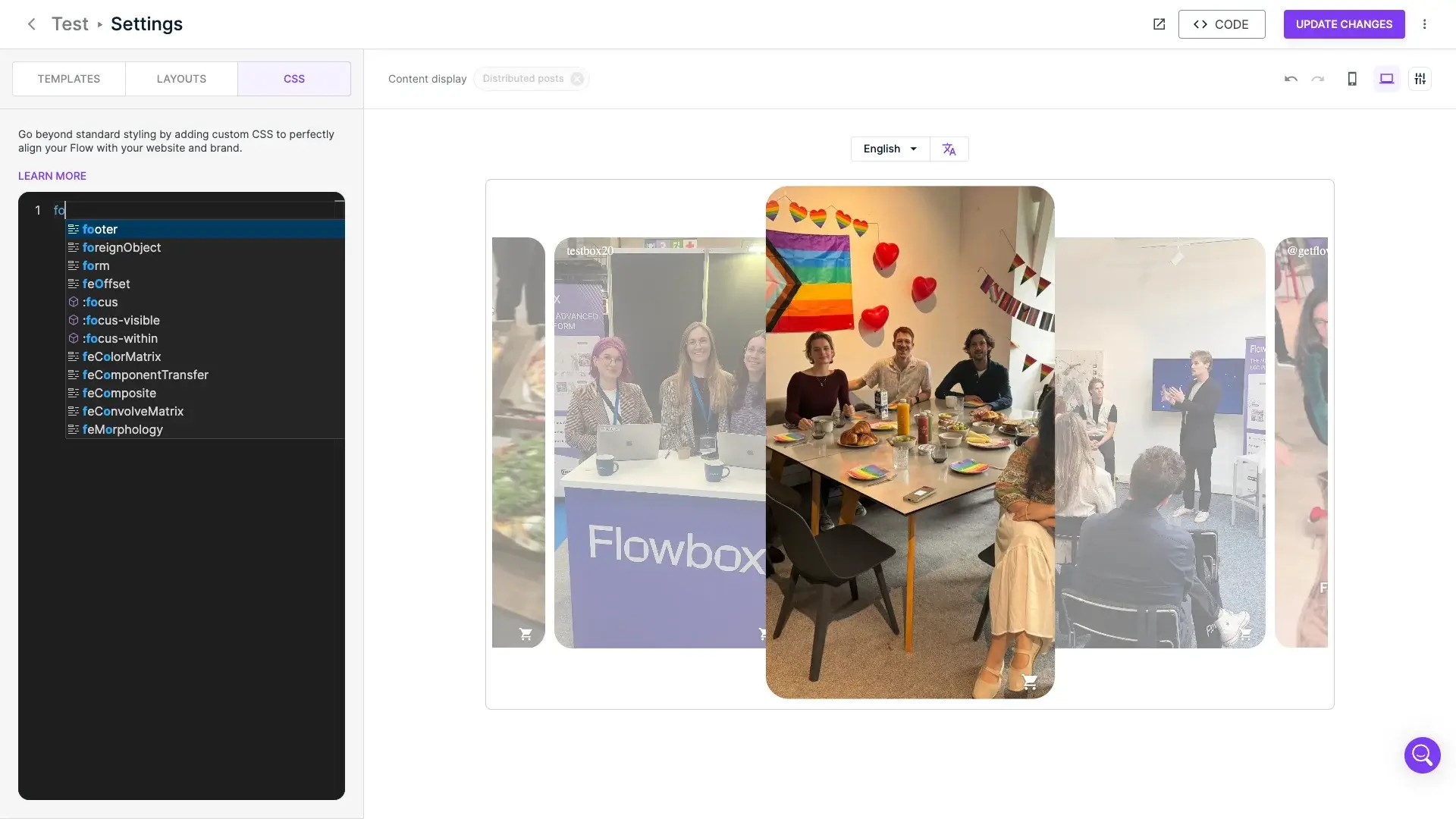
Real-time desktop and mobile preview: Every change updates instantly, exactly as shoppers will see it, on mobile or desktop.
Safe experimentation with publish and rollback: Flowbox enables teams to experiment freely without risking production. Test new designs privately, publish only when ready, and revert instantly, keeping all your styling. Teams can style boldly, with zero risk.
A UGC display shouldn’t be restricted to one or two formats. Flowbox gives brands multiple layouts crafted to fit different placements, goals, and user experiences.
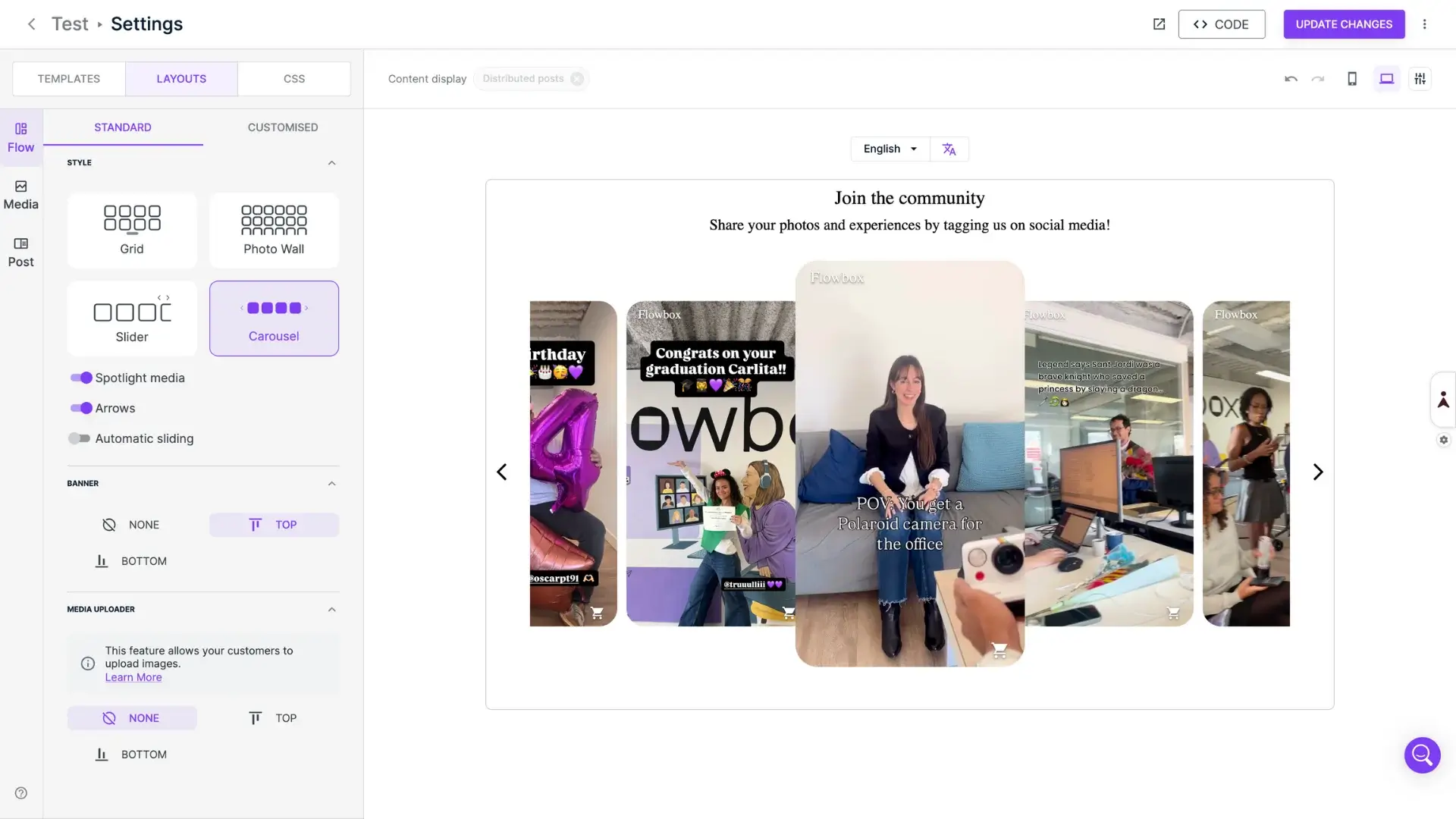
Choose the layout that fits your story: Slider for homepage hero sections, grid / photo wall for high-density inspiration, and carousel for smooth, familiar browsing. Brands can build UGC experiences that look and feel part of their website.
Spotlight boosts the visibility of a highlighted post. In Carousel and Slider style, highlights the active post; in Grid and Photo Wall, assigns a hero post to each content batch. This creates natural visual rhythm and draws attention to strategic content.
Sliding media options: Choose how content moves from one-by-one for classic control or all-visible for a fast, dynamic swipe. Perfect for adapting UGC behaviour to your brand rhythm. Sliding time is also customisable.
This is where shoppers form their first impression, and Flowbox gives brands the tools to shape that moment with precision.
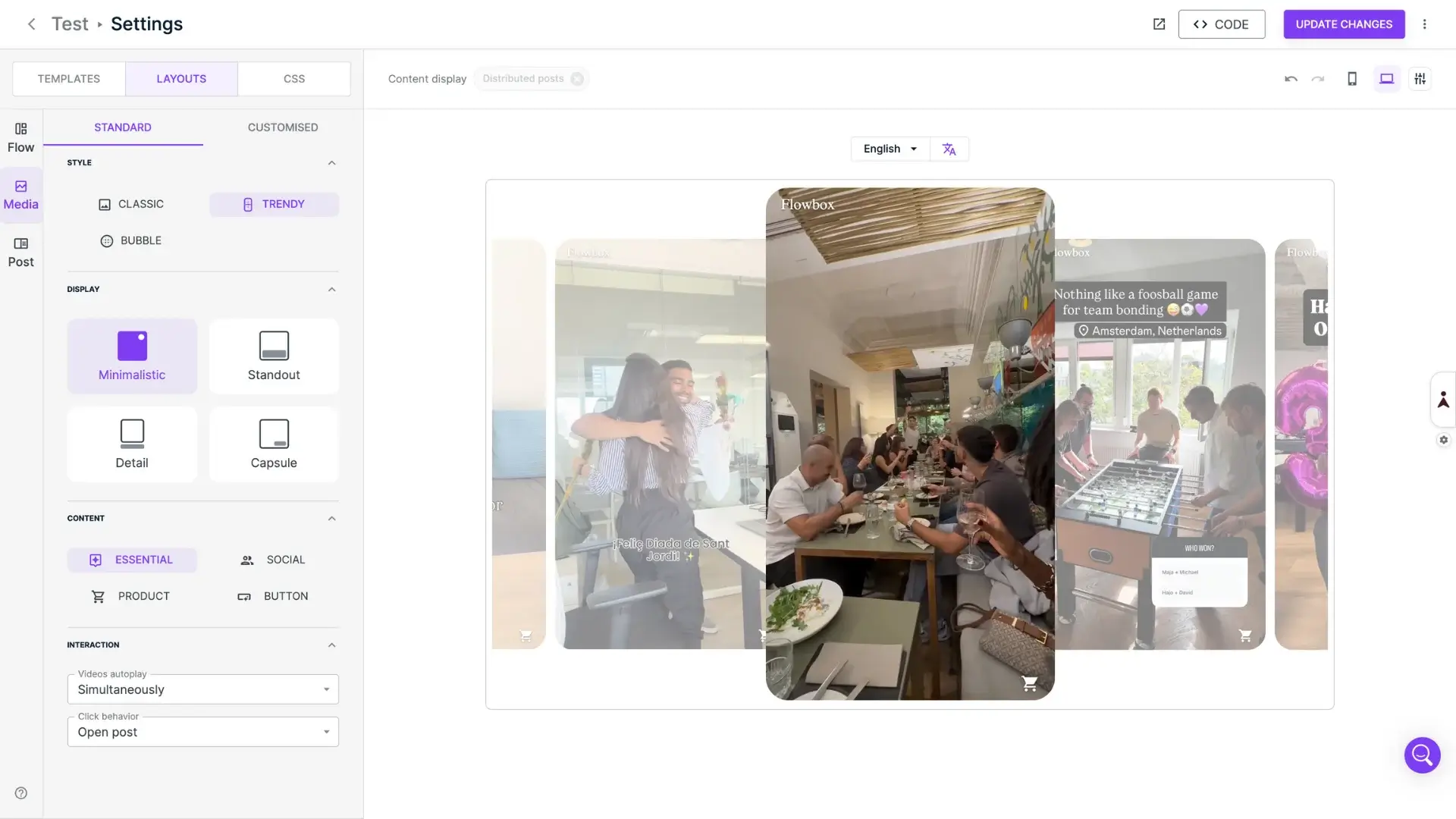
Preset styles for quick, polished results: Instant combinations of border radius + aspect ratio, media effects, content and CTA customisation. Ideal for mid-level users who want great design without custom CSS.
Video autoplay inspired by social platforms: Choose a browsing experience that feels native to your audience between Never, On hover, Sequentially (like Stories), or Simultaneously (high impact). Brands with rich video catalogs finally have a widget that does them justice.
Click behaviour designed for faster purchases: Control what happens when a shopper interacts with a post, between No click, Open the post, Open the first tagged product page, or Open the original social post. Each option supports a different conversion strategy.
Rest and hover states: Double the storytelling power with Rest state, the clean, image-first view, or Hover state, show CTAs, prices, captions, or product details. It’s a subtle but powerful way to drive engagement and conversion.
Once a shopper opens a post, Flowbox gives brands a rich storytelling space and connects users to products, reducing the conversion friction.
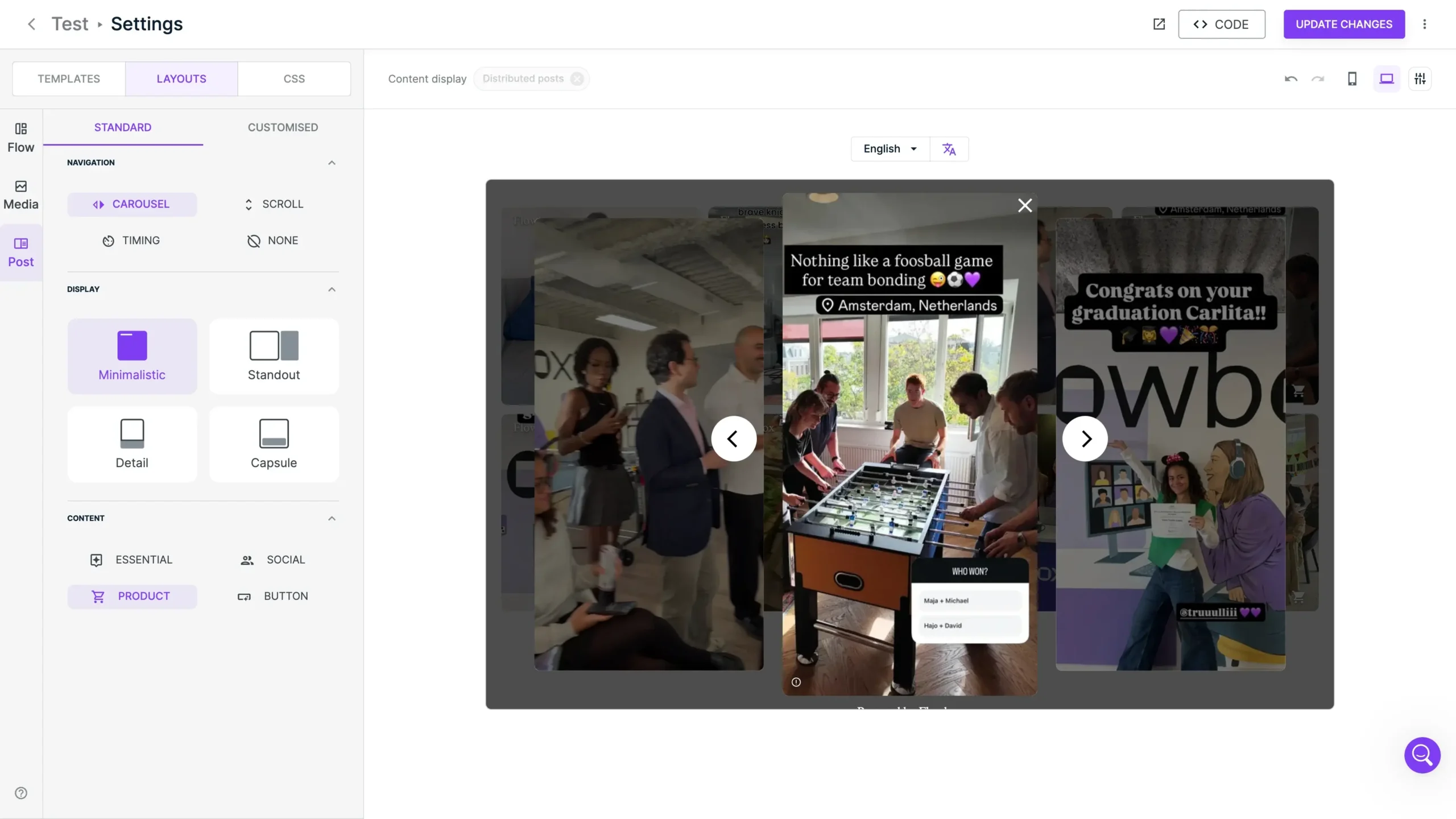
Navigation made for younger audiences: Carousel for a classic photo-browsing experience, or Scroll (vertical swiping) and Timing (Stories style) for a TikTok/Reels-native experience. Video timing adapts automatically for smooth, intuitive navigation.
Display styles for every brand look: Four visual modes offer full flexibility. Minimalistic, Standout, Detail, or Capsule. Even vertical content fits perfectly thanks to aspect ratio controls for a mobile-first experience.
Content customisation: Showcase what you need depending on your brand goals, including Creator info, Multiple tagged products, Captions, CTAs, etc.
User-generated content has become one of the most influential elements in the eCommerce experience. But the real power of UGC isn’t just in collecting it, it’s in how you display it. A modern UGC widget should be flexible, fast, customisable, and aligned with the browsing behavior consumers have learned from platforms like Instagram, TikTok, and Pinterest.
Flowbox capabilities enable brands to deliver immersive, mobile-first, and visually consistent UGC experiences that boost trust, engagement, and sales. A well-designed UGC widget isn’t just about aesthetics. These features together create:
This is what a customisable UGC shopping experience looks like: flexible, immersive, multilingual, mobile-first, and optimised for conversion.
Let’s take a look at how the French furniture brand Centrakor leverages this level of design customisation in their Christmas gallery. By combining different widget customisation options, Centrakor creates a festive, immersive, social media experience that feels completely native to its brand identity.
The result is a gallery that not only showcases customer creativity but also enhances the brand’s Christmas storytelling, encouraging visitors to explore more deeply and convert with confidence.
A widget that combines flexibility, interactivity, and visual appeal not only enhances the shopping experience but also drives engagement and conversions.
By leveraging advanced layouts, dynamic media containers, and intuitive post interactions, brands can turn every piece of UGC into a powerful touchpoint that inspires, informs, and converts.
Request a demo with Flowbox or contact your Customer Success Manager to learn more about these features.